From DeFoor Innovations

Show exactly what you mean.

Point Blank Screen Grab is a Windows app that grabs a piece of your screen, lets you mark what's wrong, and sends it where it needs to go: to your AI, to your colleagues, to a file or to a project. The picture, the numbers and your notes travel together.

Press Ctrl + Alt + G anywhere. Drag a box. Done.
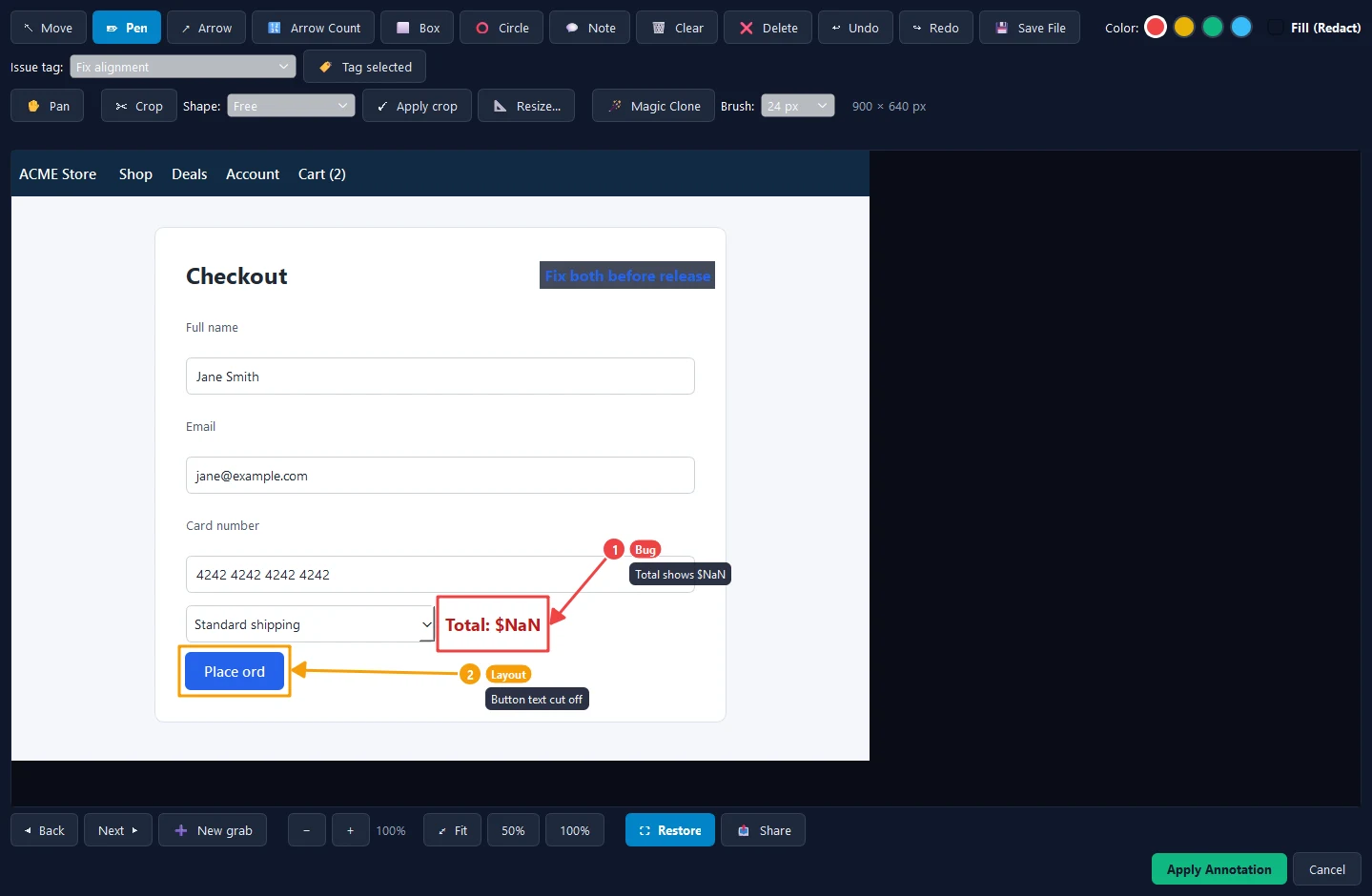
The Point Blank editor: a checkout page grabbed from the screen, with a red box and marker 1 on a total that reads $NaN, and an orange box and marker 2 on a button whose text is cut off, each with a tag and a note

How it works

Grab. Mark it. Send.

Typing out "the button on the right, under the total, is cut off" takes longer than fixing it. Point at it instead.
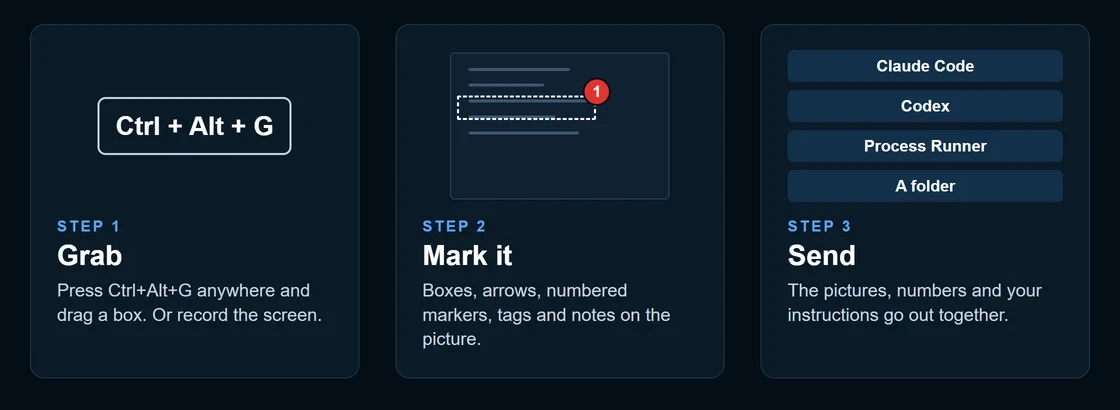
Three steps: press Ctrl+Alt+G and drag a box; mark the picture with boxes, arrows, numbered markers, tags and notes; send the pictures, numbers and instructions to Claude Code, Codex, Process Runner or a folder

Features

Everything you need to point at a problem

Grab anything

Snip an area, a window or the full screen from anywhere with Ctrl+Alt+G. Every grab is copied to the clipboard, ready to paste into any chat.

Numbered markers

Boxes, arrows, circles, numbered markers with issue tags and notes. Marker 1 and its note go to the agent as one instruction, not a guess.

Record the screen

Capture a short video when a still picture isn't enough. Point Blank picks out still frames so the agent can read what happened step by step.

Crop and resize

Drag an adjustable crop box with fixed shapes, or resize to the standard social sizes for Instagram, Facebook, LinkedIn, X, YouTube and Pinterest.

Magic Clone

Paint over text, a name or anything you'd rather not share, and it's filled in from what surrounds it. Redact with a solid box when you need to.

Zoom and pan

Zoom in to mark a single pixel, fit the whole picture to the window, or jump to 50% and 100%. Marks stay exactly where you put them.
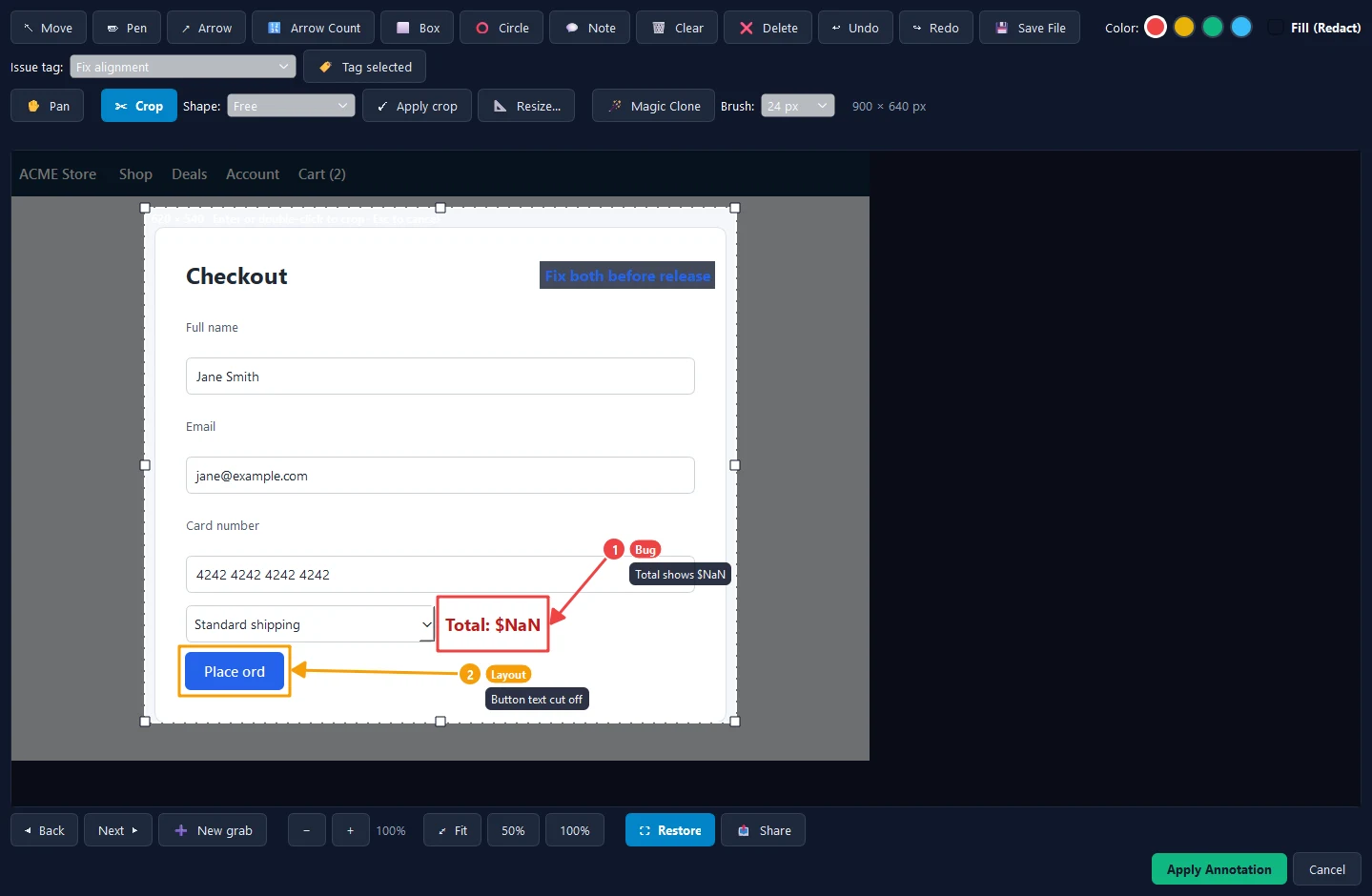
The Point Blank editor with an adjustable crop box over the grab, its corner handles showing, and the Shape, Apply crop, Resize and Magic Clone tools in the toolbar

The editor

A real editor, not a snipping tool

  • Undo and redo every step, including crops and resizes
  • Move, restyle or delete any mark after you draw it
  • Fill boxes solid to redact passwords and personal details
  • Step back and forth through every grab in the session
  • Save to a file, or share straight from the editor

Send it

Send it to your AI, your colleagues, a file or a project

Claude CodeThe grab, markers and notes arrive as one task.
CodexSame package, ready for the next run.
Process RunnerGoes to an agent's board as a tracked task.
Your colleaguesShare the marked-up picture straight from the editor.
A fileSave it anywhere, or drop it in a folder any tool can pick up. No account needed.
A projectFile it with the project it belongs to, so the whole team finds it.
WhatsApp Coming soonSend the marked-up picture to a chat or a group.
Slack Coming soonPost it to a channel or a teammate, notes included.
Messages Coming soonText it straight to someone's phone.
Make a post Coming soonSized for the platform and ready to share on social media.

Get it

Point Blank Screen Grab for Windows

Coming soon for Windows 10 and 11.